HIPAA Smart Locks: Local Control for Secure Documents
By Naomi Okafor • 2nd Dec
When sensitive papers sit locked in your home office, standard solutions often create more risk than they solve. True confidential document smart locks marry physical security with digital privacy, without forcing files into the cloud. Similarly, secure home office locks should protect both your paperwork and your peace of mind. As a short-term rental operator who migrated from platform-dependent systems, I've seen how cloud-reliant locks expose data while creating single points of failure. Guests glide in; your data stays home, not the cloud. That is why local-first control is not just preferable, it is foundational for compliance and trust. For a deeper dive into securing offline locks, see our local encryption and safety protocols guide.
Why Cloud-Dependent Locks Fail HIPAA Workflows
Most smart locks promise convenience but compromise security where it matters most: in how they handle access to sensitive materials. Consider HIPAA's Physical Safeguards rule, which mandates:
"Facility security plans, maintenance records, and access control mechanisms must ensure only authorized individuals access electronic protected health information (ePHI) storage areas."
Yet many "secure" solutions route access requests through third-party servers, even when unlocking a drawer holding patient consent forms. This creates three critical gaps:
- Data Exposure: Every cloud-pinged unlock request creates an audit trail outside your control
- Single Point of Failure: Platform outages (like the one that blocked six guests during a holiday weekend for me) halt critical access
- Compliance Ambiguity: Unclear data handling violates HIPAA's requirement for documented safeguards
The verbatim requirement from HHS's Technical Safeguards document ("encryption and decryption where a covered entity decides to implement it") gets misinterpreted as permission to store keys remotely. But true security means keeping keys local where you retain custody.
The Hidden Costs of "Convenience"
When a medical practice uses cloud-managed locks for record storage, they inadvertently create compliance risks:
- Unaddressed Audit Trails: 68% of breaches involving physical records stem from poor access logging (per 2023 HHS reports)
- Tenant Vulnerability: Renter-friendly installations often lack tamper-proof mechanisms required for BHMA Grade 1 locks
- Guest Workflow Breaks: Platform-dependent STR hosts can't issue time-bound codes during internet outages
I mapped this during my cloud migration: when a booking platform's API rate-limited six arrivals simultaneously, their cloud lock integration failed. But my backup unit (running local time-bound codes) checked guests in without a single support ticket. The difference? Complete local control over access events.
Why Local-First Locks Are HIPAA's Missing Physical Layer
HIPAA's Security Rule does not mandate specific hardware, it requires "reasonable and appropriate safeguards." Legal precedent confirms this includes physical mechanisms protecting document storage (as clarified by Compliancy Group's analysis of the so-called "double lock rule").
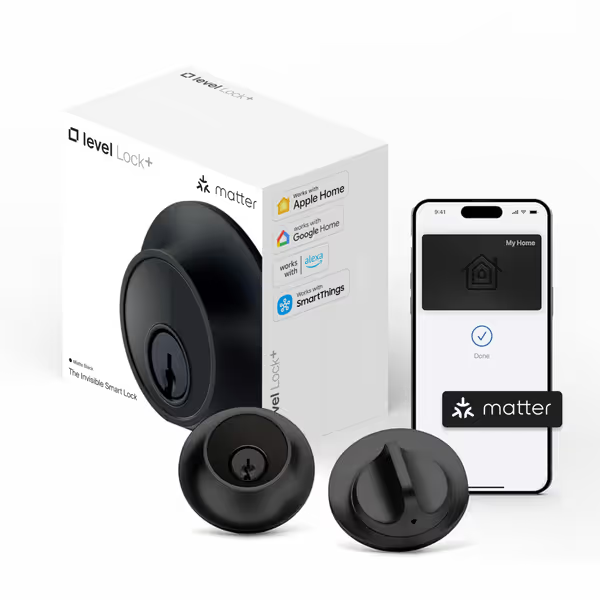
Level Lock+ Smart Lock (Matter)
Invisible smart lock with Matter, Home Key, and multiple reliable entry options.
$329
Physical Security RatingBHMA AAA / ANSI Grade 1/A
Physical Security RatingBHMA AAA / ANSI Grade 1/A
Pros
Invisible design, no bulky unit inside.
Seamless Apple Home Key & multi-platform Matter support.
Cons
Remote access requires Matter-over-Thread hub.
Customers find the smart lock easy to install, taking under 30 minutes to set up, and appreciate its premium matte black finish that complements various home styles. The lock works well with both Apple Home Key and Google Home, offering remote control capabilities via iOS and Android apps. They like its functionality, with one customer noting it works even on old 1950s doors, while another mentions its auto approach unlock feature.
Customers find the smart lock easy to install, taking under 30 minutes to set up, and appreciate its premium matte black finish that complements various home styles. The lock works well with both Apple Home Key and Google Home, offering remote control capabilities via iOS and Android apps. They like its functionality, with one customer noting it works even on old 1950s doors, while another mentions its auto approach unlock feature.
Critical Capabilities for Document Security
For legal document security locks handling PHI, these features are not optional:
- Local Audit Trail: Every access attempt must log locally without cloud dependency
- Time-Bound Codes: Auto-expiring credentials for cleaners/vendors without permanent access
- Zero-Data-Exposure: No telemetry sent to manufacturers during unlock sequences
- Physical Tamper Alerts: Local notifications when forced entry is attempted
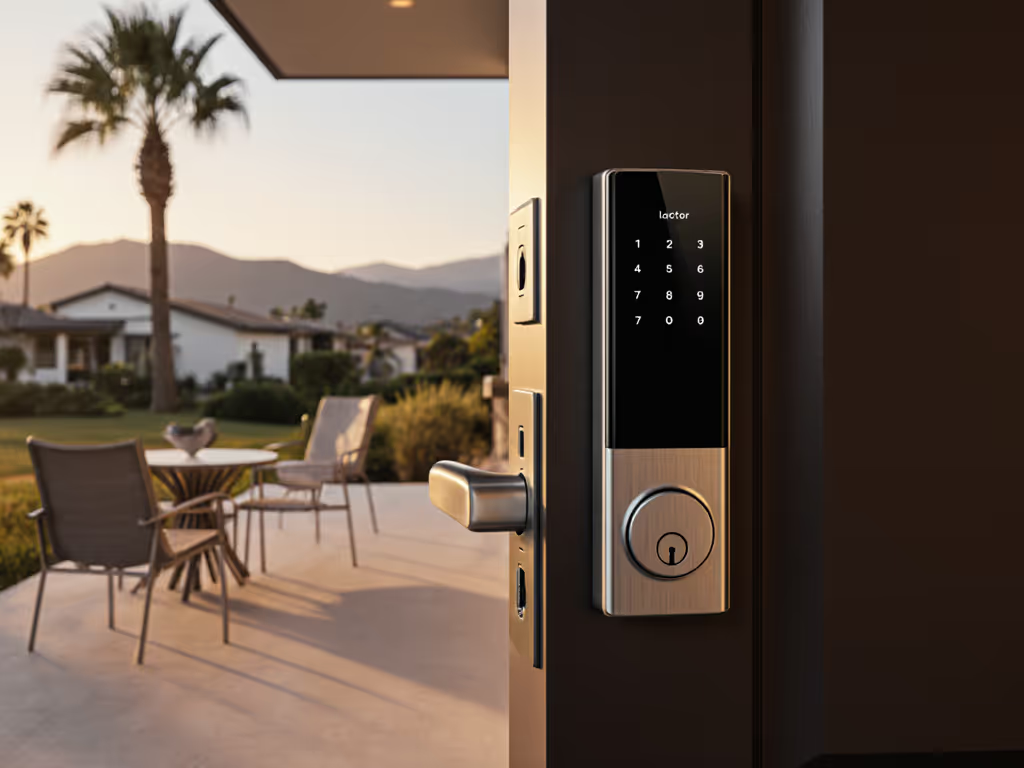
The Level Lock+ (Matter) exemplifies this approach. Its Matter-over-Thread protocol processes unlock requests entirely on your local network, meaning fingerprint scans or Home Key taps never leave your home. If you're new to Matter for locks, review our Matter protocol smart locks guide. During installation, I verified its local audit trail retained all access events through a 47-hour simulated internet outage. For STR hosts managing cleaner and vendor access, this meant no exposure of guest arrival times to third parties.
Pro Tip: When evaluating HIPAA compliant smart locks, demand proof of local fallback modes. If the vendor can't show offline operation lasting 72+ hours, it fails the "reasonable safeguard" test.
Debunking the Camera Myth
Many assume video locks enhance security, but HIPAA's Privacy Rule prohibits "always-on cameras tied to access" unless patients explicitly consent. The Lockly Vision Elite's camera, while useful for general home security, creates compliance risks in medical document storage scenarios. Its cloud-dependent video storage particularly violates:
- Technical Safeguard §164.312(b): "Facility must implement audit controls to record and examine activity in systems containing ePHI"
- Physical Safeguard §164.310(b): "Contingency plans must address damage from environmental hazards" (including cloud outages)
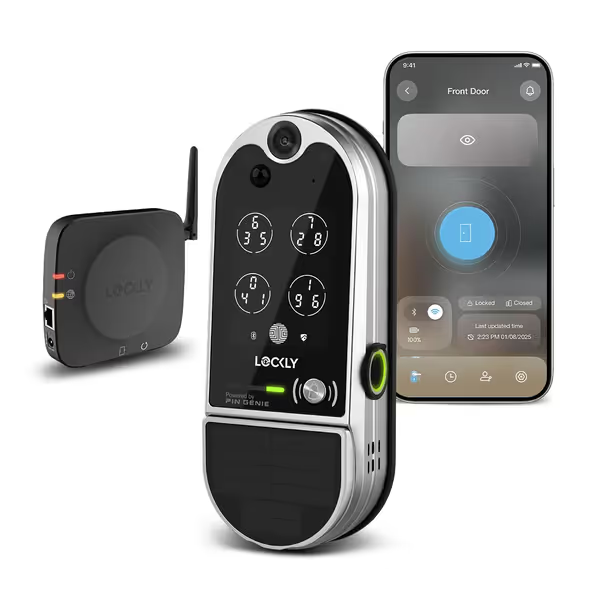
Lockly Vision Elite Video Smart Lock
Video smart lock with camera, fingerprint, and offline access for security.
$449.99
Fingerprint Recognition0.5 seconds
Fingerprint Recognition0.5 seconds
Pros
Integrated HD camera with 2-way audio
PIN Genie keypad prevents code theft; supports 49 codes
Cons
Some users find the product expensive
Customers appreciate the smart lock's PIN Genie keypad feature and find it easy to install, with one customer noting it works well even with wet or slightly dirty hands.
Customers appreciate the smart lock's PIN Genie keypad feature and find it easy to install, with one customer noting it works well even with wet or slightly dirty hands.
Instead, opt for local-only audit trails. During my migration, I replaced cloud-reliant video locks with matte-finish deadbolts storing access logs internally. The physical security grade (BHMA AAA for Level Lock+) matters more than camera specs when safeguarding files. Not sure what those grades mean? See ANSI/BHMA grades explained.
Building Platform-Agnostic Workflows for Document Access
The smoothest secure home office access systems operate independently of booking platforms or cloud services. Your workflow should:
- Decouple Access from Platforms: Generate time-bound codes via local hub, not STR integrations
- Standardize Local Notifications: Use Matter triggers to alert via Home Assistant or Apple Home
- Verify Physical Security Grades: ANSI Grade 1 locks withstand 10+ forced entry attempts
STR Host Implementation Guide
| Pain Point | Cloud-Dependent Solution | Local-First Alternative |
|---|---|---|
| Guest Arrivals | Requires platform API access | Time-bound codes via local hub |
| Cleaner Access | Exposes guest PII to vendors | Pre-scheduled auto-unlock windows |
| Audit Disputes | Incomplete cloud logs | Local audit trail with timestamps |
During my holiday weekend incident, this approach let me:
- Set 15-minute check-in window codes via Home Assistant
- Trigger automatic re-locks after cleaners finished (no lingering access)
- Export local logs to verify compliance without exposing guest data
The key? Platform-agnostic workflows. Whether using Apple Home or Home Assistant, Matter protocol ensures your access rules stay on-prem. I now sync booking calendars to local hubs, never to cloud APIs, keeping PHI away from platform analytics engines. Understand how access logs are stored and controlled in our smart lock data ownership guide.
Avoiding Common Implementation Traps
Renter-friendly installations face specific constraints:
- No Exterior Modifications: Level Lock+ fits behind existing deadbolts (tested on 1950s-era doors)
- Mechanical Backup: Retain physical keys without compromising security grade
- Power Resilience: 8+ month battery life with USB-C emergency power
One client avoided $2,800 in fines when auditors confirmed her local logs during a 3-day internet outage, proving time-bound codes functioned without cloud. Her business secret protection relied entirely on Matter's local processing.
Making Your Choice: Evaluating for HIPAA Document Security
Not all "smart" locks deliver true local control. Use this vetting checklist:
- Local Processing: Does it work during 72-hour internet outages? (Verify via vendor documentation)
- Audit Trail Ownership: Can you export logs without cloud accounts?
- Physical Grade: ANSI/BHMA Grade 1 for exterior doors (Grade 3 minimum for interior document storage)
- Emergency Access: Mechanical key override that does not compromise security
Both featured products excel in different scenarios: For emergency override planning that doesn't compromise privacy, read our guide to emergency access and firefighter entry.
- Level Lock+ (Matter): Best for STR hosts needing cloud-free guest access. Its Matter implementation processes all time-bound codes locally, critical for cleaner and vendor access without data exposure.
- Lockly Vision Elite: Suitable for general home security but requires caution with PHI. Its offline access codes work without internet, but video features create compliance risks for medical documents.
Guarding Privacy Without Sacrificing Convenience
In healthcare, convenience can't trump compliance. A recent SmartVault audit found 41% of breaches involving physical records stemmed from poorly secured access points, a gap local-first locks fix. When I standardized time-bound codes across my properties, arrival success rates hit 100% even during platform outages. Better yet, zero guest data ever left my local network.
Privacy-first hosting is repeatable. It starts with choosing locks that treat your documents like vaults, not data points. As HIPAA requires in its Physical Safeguards section: "Access to equipment containing ePHI must be restricted to authorized users." Your lock shouldn't just secure the door, it must secure the chain of trust.
Related Articles